
SEO Title Length Checker – Complete Guide to Perfect Title Tags

In today’s competitive digital landscape of 2026, getting your content noticed starts with a strong title tag. This short line of text appears as the clickable headline in Google search results and often determines whether users click through or scroll past.
Many bloggers, affiliate marketers, and YouTube creators spend hours perfecting their content only to see important words cut off by ellipses. Imagine publishing a detailed guide on kitchen organizers or a heartwarming 3D cartoon story for kids, only for Google to hide the most compelling part of your title. The SEO Title Length Checker Pro solves this problem by giving instant, accurate feedback on character count, pixel width, and overall title quality — completely free.
This advanced yet easy-to-use tool helps you create titles that display fully on both desktop and mobile devices.
It goes beyond basic counters by calculating real pixel width using a detailed character map that mimics Google’s rendering. You also get live SERP previews, a quality score out of 100, and smart suggestions to boost click-through rates. Whether you are optimizing a home decor affiliate post, a product review, or a video title for your animation channel, this tool ensures your message reaches readers intact. It is especially useful for creators who publish frequently and want to maintain consistency across blog posts and video content without wasting time on manual calculations or guesswork.
What is an SEO Title Length Checker?
An SEO Title Length Checker analyzes your webpage title tag and tells you if it will display completely in search results. Google typically shows the first 50–60 characters on desktop and fewer on mobile. Because letters have different widths — a capital “W” takes more space than a lowercase “i” — simply counting characters is not enough.
The SEO Title Length Checker Pro uses a pixel-width engine to predict exactly where truncation will happen. It also shows realistic desktop and mobile previews so you can see the final appearance before publishing. Additional checks for word count, power words, and formatting give you a complete quality picture.
Why Title Length Matters for SEO and CTR
Your title tag is the first thing searchers see. A clear, fully visible title improves click-through rate (CTR), which can indirectly help rankings. When titles are too long, Google cuts them off, hiding key benefits or keywords and making the result look incomplete or spammy.
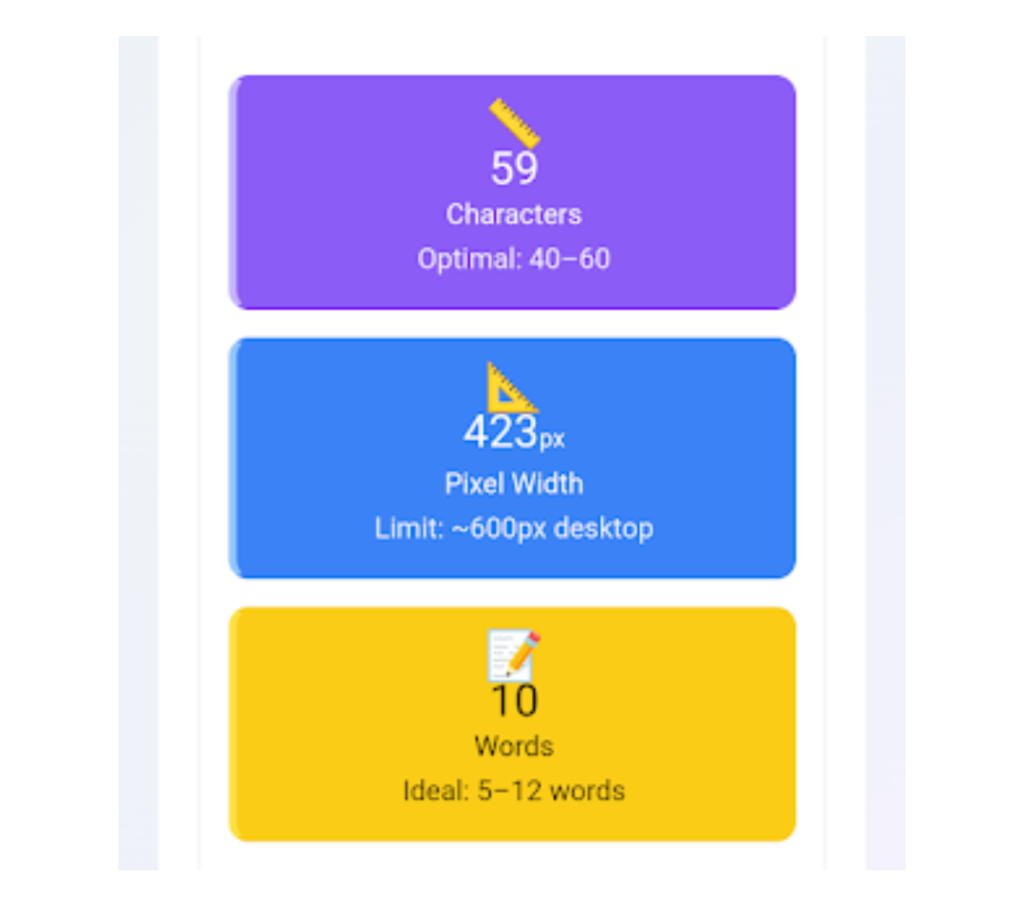
Titles that are too short waste valuable SERP space. The ideal range is 40–60 characters or roughly 400–560 pixels on desktop. Mobile screens require even tighter optimization. Using power words like “Ultimate”, “Pro”, or “Step-by-Step” and placing numbers strategically can increase curiosity and clicks. In competitive niches like affiliate marketing or content creation, every extra click counts.
How the SEO Title Length Checker Pro Works
Using the tool is Paste or type your title in the input box. The tool accepts up to 200 characters, giving you room to experiment with different versions while encouraging concise writing. simple and fast, yet the technology behind it is quite powerful. Here is exactly what happens step by step when you use it:
Paste or type your title in the input box. The tool accepts up to 200 characters, giving you room to experiment with different versions while encouraging concise writing.
Watch real-time updates as it counts characters and calculates exact pixel width using a Google-like font map. The engine references individual character widths so predictions are highly accurate.
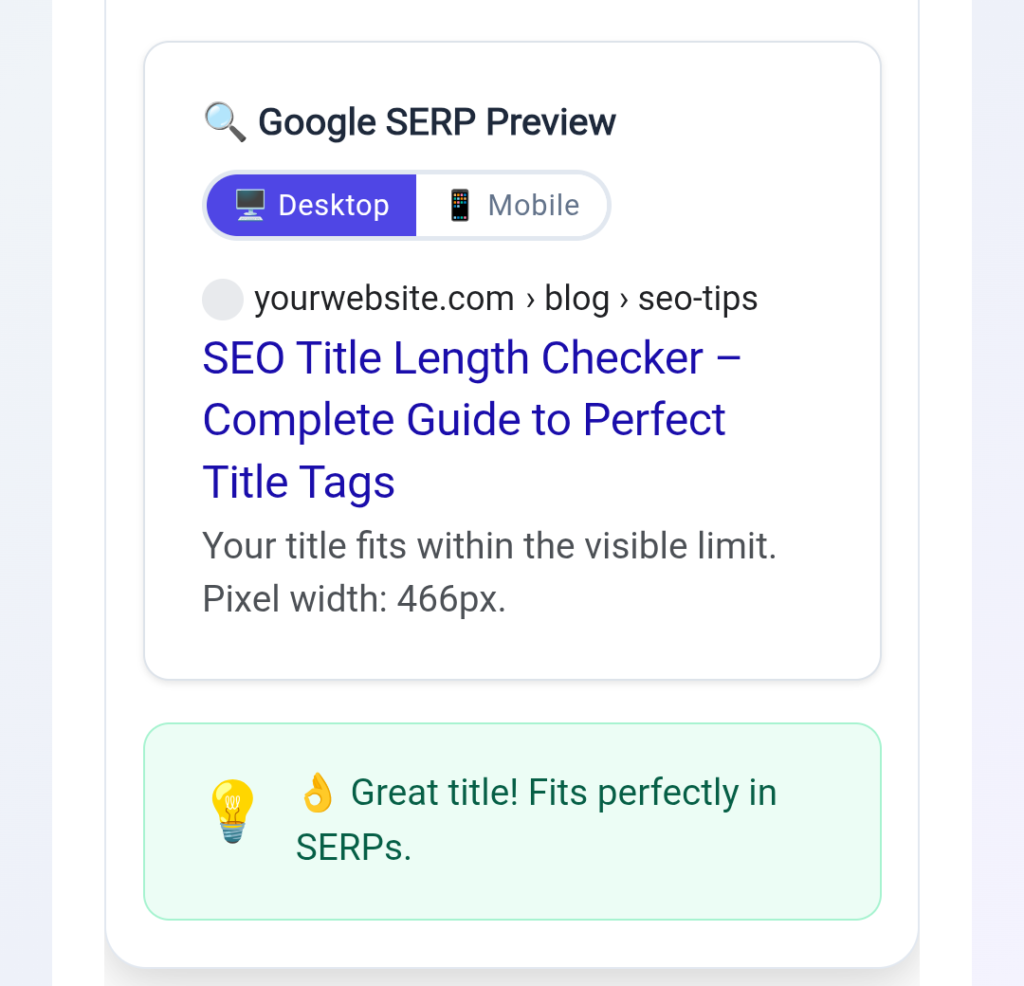
Toggle between Desktop (600px) and Mobile (520px) SERP previews to see if your title gets truncated. A red warning appears when text is cut off, making problems obvious at a glance.
Check the quality score (0–100) based on length, pixel width, word count, power words, and formatting. The colored circle updates instantly and turns green when your title is strong.
Read the dynamic tips panel for specific improvement suggestions. It might recommend adding a number, moving a keyword forward, or using a power word to lift the score.
Copy your optimized title with one click or test sample titles to learn what works. This feature is great for new creators who want to see scoring differences between weak and strong titles.
Every change updates instantly in the browser with no reloads, sign-ups, or data sent to servers. This makes it fast, private, and perfect for daily use by busy content creators.
Key Features of the Tool
Pixel-Width Calculation: Unlike basic counters, this measures actual rendered width. A title with many wide letters may get cut off even if under 60 characters. The tool flags this accurately.
Desktop & Mobile SERP Previews: Switch views instantly to confirm your title looks good on phones and computers. Mobile truncation happens earlier, so this prevents embarrassing cuts.
Real-Time Quality Score: The colored score circle evaluates five factors and updates as you type. Aim for 80+ for excellent results.
Power Word & Number Detection: The tool automatically recognizes and rewards words like “Best”, “Free”, “2026”, or “Ultimate” that often boost CTR.
Instant Actionable Tips: The guidance panel changes based on your title. It tells you exactly what to add or remove to improve the score.
One-Click Copy & Samples: Finalize and copy your title instantly. Load examples to see scoring differences between weak and strong titles.
How to Use It for Best Results
Place your main keyword near the beginning. Keep length between 40–60 characters. Add a number or power word when it fits naturally. Put brand names at the end if needed. Write for humans first — avoid awkward keyword stuffing. Test several versions quickly until the score turns green. The real-time feedback makes optimization fast and educational.
High-Search-Volume Keywords for This Topic
If you write guides about SEO tools, naturally include phrases such as: SEO title length checker, free title tag checker, SERP preview tool, Google title checker, title tag pixel width checker, best title length for SEO, SEO title optimizer, meta title length checker, and title tag validator. These terms attract fellow creators searching for optimization help.
Why Choose SEO Title Length Checker Pro
Most free tools only count characters. This one delivers pixel accuracy, dual previews, and a helpful scoring system without any login, ads, or data collection. It runs entirely in your browser for maximum speed and privacy. The educational tips help you learn good title habits over time, making it more than just a checker — it is a learning tool for better SEO.
Common Title Mistakes and How the Tool Fixes Them
Title Too Long: A 90-character title about “Complete Guide to Kitchen Organizers for Indian Homes 2026” gets heavily truncated. The tool shows the red warning and suggests cutting to the core benefit and main keyword.
Title Too Short or Vague: “Home Decor Tips” scores low. The tips panel recommends adding specifics, numbers, or power words for better visibility and CTR.
Missing Power Words: Changing “How to Organize Your Kitchen” to “How to Organize Your Kitchen Like a Pro: 7 Simple Steps” raises the score significantly because it adds both a number and a power word.
Ignoring Mobile View: A title that fits desktop often fails on mobile. The toggle reveals this before you publish, saving you from embarrassing cuts on the majority of search traffic.
Keyword Stuffing: Forcing multiple keywords into one title makes it read unnaturally and lowers the quality score. The tool encourages readable, human-first titles that still include the main keyword early.
Modern SEO Context: Why Pixel Accuracy Matters in 2026
Google’s display rules are based on pixel measurements for clean SERPs. With most searches happening on mobile and attention spans shrinking, fully visible, benefit-focused titles win more clicks. For content creators using AI tools for animation or running affiliate sites in niches like home organization products, optimized titles directly support traffic and revenue goals.
Simple character counters cannot match this precision because they ignore font rendering differences. A title that looks fine when you count letters may still get cut off in real search results. Using a pixel-accurate tool like this one protects your hard work and ensures every word you wrote has the chance to be seen by potential readers or customers.
Frequently Asked Questions (FAQs)
What is the ideal title length for SEO right now?
Between 40 and 60 characters or 400–560 pixels. This range gives the best chance of full display on desktop and mobile. The tool shows both metrics live so you stay in the safe zone.
How does pixel width checking work?
It measures the actual space each character takes when rendered in Google’s font. Wide letters like “W” or “M” use more pixels than narrow ones like “i” or “l”. This prevents surprises where a 55-character title still gets cut off because it contains too many wide letters. The detailed width map inside the tool makes these predictions reliable for real-world Google results.
Can I use it for YouTube titles?
Yes. The same principles of length, clarity, and power words apply to video titles. Many creators check titles here before uploading to improve click-through rates.
Is this tool completely free with no sign-up?
Yes. It is 100% free, requires no registration, and runs in your browser. You can even embed it on your own blog if you want to offer the tool to your readers.
How accurate is the mobile preview?
Very accurate for current Google behavior. Minor device differences can exist, but it reliably shows where truncation will occur so you can adjust before going live.
Should I always include my brand in the title?
Not always. For many pages, focusing on the benefit and keyword performs better. When you do include it, place it at the end with a separator like “ | Brand”. The tool’s tips help you decide.
Does Google still care about title tags?
Title tags remain important for relevance, user experience, and CTR. While Google understands page content better than before, a strong title still helps attract clicks and supports overall SEO performance.
What if my score stays low after changes?
Follow the specific tips shown. Usually this means moving the keyword forward, adding a number or power word, shortening phrases, or rewriting for better flow. Testing fresh angles often works better than small edits.
Final Thoughts
A well-optimized title tag is your first opportunity to win a click in search results. In a world full of AI content and short attention spans, clear and complete titles help your work stand out and build trust with readers. The SEO Title Length Checker Pro gives you professional-grade analysis for free, with pixel-perfect measurements, live previews, and smart guidance that improves both your titles and your understanding of SEO over time.
Bookmark the tool and use it on every important page or video before publishing. Aim for scores above 80 and watch your click-through rates improve steadily. Whether you run a home decor blog, an affiliate marketing site, or a YouTube channel focused on stories and animation, perfect titles are now within easy reach. Start optimizing today — your audience is waiting to see the full message you worked so hard to create.
SEO Tools by Toolstwenty
➡️ Keyword Density Checker
➡️ SEO Title Length Checker
➡️ Keyword Extractor
➡️ Meta Tag Generator
➡️ Text To Slug Converter
➡️ Readability Score Checker
Popular Posts
- How to Convert Images to PDF Without Losing Quality (2026 Guide)
- How to Improve Content Readability Score
- How to Extract Keywords from Text for Better SEO
- Meta Tag Generator: How to Create SEO-Friendly Meta Tags
- What is Keyword Density Checker? How It Works Free Tool for SEO (2026)
- SEO Title Length Checker – Complete Guide to Perfect Title Tags
- How to Count Words and Characters Online (Complete Guide)