
How to Convert Images to PDF Without Losing Quality (2026 Guide)
We spent several days building this Image to PDF Converter to make the conversion process as fast, secure, and user-friendly as possible. Our goal was to create a simple tool that anyone can use without installing software or creating an account.
If you’re wondering how to convert images to PDF, you’re in the right place. Whether you have JPG, JPEG, PNG, or other image files, our tool lets you combine them into a single PDF in just a few clicks.
In today’s digital world, PDF files have become the preferred format for sharing documents because they are easy to open, maintain their formatting, and work on almost every device. Instead of sending multiple image files separately, converting them into a single PDF keeps everything organized and professional.
Our free Image to PDF Converter is useful for students submitting assignments, office employees sharing reports, teachers preparing study materials, freelancers sending project files, and business owners managing important documents. Simply upload your images, arrange them in the desired order, and download a high-quality PDF within seconds.
If you’re looking for a fast, secure, and hassle-free way to convert images to PDF online, our tool is designed to give you accurate results while keeping your files private and easy to manage.
PDF files are widely used because they preserve formatting across different devices. Learn more about the Portable Document Format (PDF) on Wikipedia.
What Is an Image to PDF Converter?
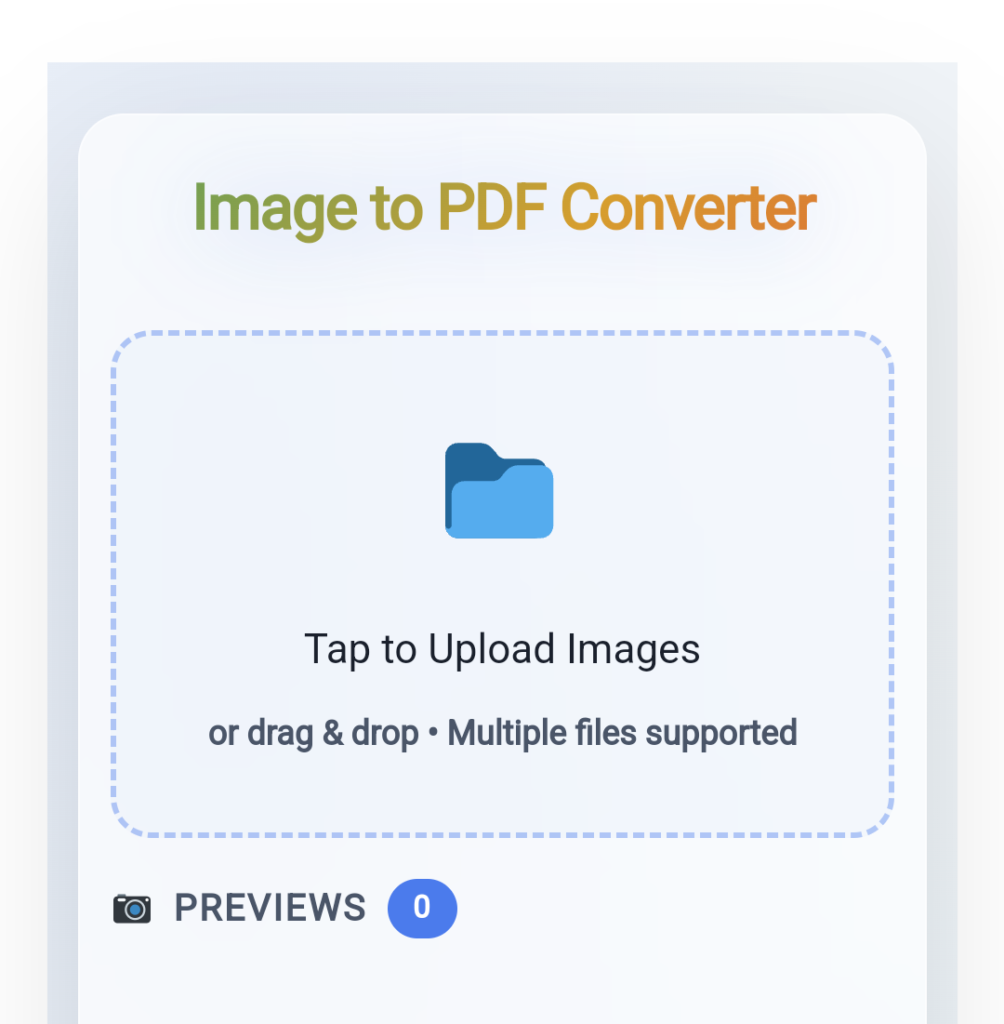
An Image to PDF Converter is an online tool that converts one or multiple images into PDF format. Users can upload photos, scanned documents, screenshots, receipts, certificates, notes, or any image file and generate a professional PDF document within seconds.
Modern converters provide additional customization options such as selecting page size, page orientation, image compression, and watermark support, making PDF creation more flexible and efficient.
Because PDFs preserve formatting across all devices, they are widely used for academic, business, and personal purposes.
Why Convert Images to PDF?
There are several reasons why millions of users search for “convert image to PDF online” every month.
1. Easy Document Sharing
Sending dozens of images separately can be inconvenient. A single PDF file is easier to email, upload, or share.
2. Professional Presentation
PDF files look more organized and professional compared to individual image files.
3. Better File Management
Combining multiple images into one document helps keep files organized and reduces clutter.
4. Print-Friendly Format
PDF is considered the standard format for printing documents because it preserves layout and quality.
5. Universal Compatibility
PDF files work perfectly on smartphones, tablets, laptops, and desktop computers regardless of operating system.
Key Features of Our Advanced Image to PDF Converter
Our tool is designed to provide maximum flexibility while keeping the conversion process simple.
Convert Multiple Images into One PDF
One of the most useful features is the ability to merge multiple images into a single PDF document.
You can upload:
- JPG files
- JPEG files
- PNG images
- Scanned documents
- Photos
- Screenshots
Instead of downloading separate files, all selected images are combined into one professionally formatted PDF.
This feature is ideal for:
- School assignments
- Office reports
- Certificates
- Bills and invoices
- Project submissions
- Documentation purposes
Custom Page Size Selection
Different users have different requirements when creating PDFs.
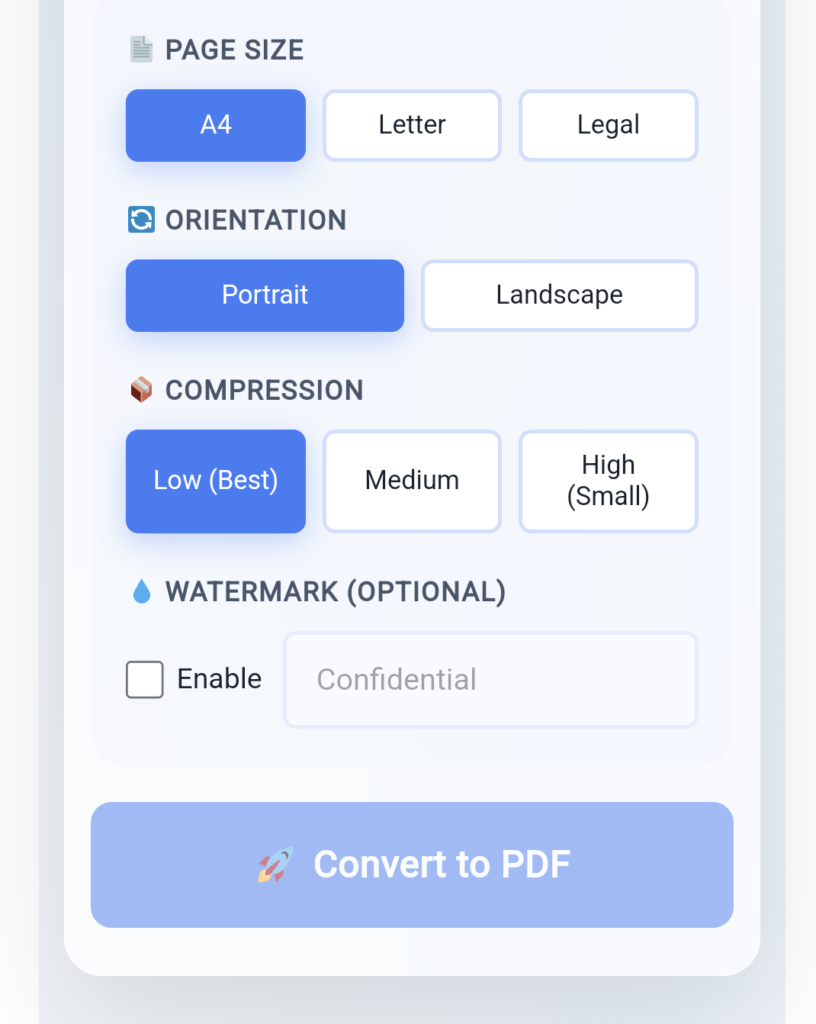
Our Image to PDF Converter supports multiple page sizes:
A4 Page Size
A4 is the most commonly used international paper size for official documents, assignments, and reports.
Letter Page Size
Letter size is widely used in the United States and Canada for office and educational documents.
Legal Page Size
Legal size provides extra space and is commonly used for contracts, agreements, and legal documentation.
Selecting the correct page size ensures your PDF is optimized for printing and presentation.
Portrait and Landscape Orientation
Images come in different dimensions.
To ensure proper alignment, users can choose between:
Portrait Orientation
Portrait mode is best suited for:
- Documents
- Certificates
- Notes
- Scanned pages
Landscape Orientation
Landscape mode works perfectly for:
- Wide screenshots
- Presentation slides
- Charts
- Tables
- Panoramic images
Choosing the appropriate orientation significantly improves readability.
Adjustable Compression Levels
File size is an important factor when sharing PDFs online.
Large PDF files can be difficult to upload or send through email.
Our tool offers three compression levels:
Low Compression
- Maintains maximum image quality.
- Produces larger PDF files.
- Ideal for professional printing.
Medium Compression
- Balances image quality and file size.
- Recommended for everyday use.
High Compression
- Creates smaller PDF files.
- Useful for online sharing and storage.
- Reduces overall file size significantly.
Users can choose the option that best matches their requirements.
Watermark Support for Additional Security
Watermarks help protect important documents from unauthorized use.
With our watermark feature, users can add custom text to PDFs for:
- Branding
- Copyright protection
- Ownership identification
- Company documentation
For businesses and professionals, watermarking is an essential feature.
Image Preview Before Conversion
Before generating the final PDF, users can preview uploaded images.
This feature allows users to:
- Verify image order.
- Check image quality.
- Remove unwanted files.
- Ensure all pages are correct.
Preview functionality minimizes mistakes and improves efficiency.
Fast and Secure Online Conversion
Our online Image to PDF Converter works directly in your browser.
Benefits include:
- No software installation required.
- Quick PDF generation.
- User-friendly interface.
- Accessible from any device.
- Safe and secure processing.
Users can convert images anytime and anywhere.
How to Convert Images to PDF Online
Creating a PDF using our tool is simple.
Step 1: Upload Images
Click the Select Images button or drag and drop files into the upload area.
Step 2: Choose Page Size
Select A4, Letter, or Legal according to your needs.
Step 3: Select Orientation
Choose Portrait or Landscape mode.
Step 4: Choose Compression Level
Select Low, Medium, or High compression.
Step 5: Add Watermark (Optional)
Enable watermarking if required.
Step 6: Preview Images
Review uploaded images carefully.
Step 7: Convert to PDF
Click the convert button and allow the tool to process your files.
Step 8: Download PDF
Once conversion is complete, download the final PDF document instantly.
Who Can Use an Image to PDF Converter?
This tool is useful for:
Students
Students can combine assignment pages, handwritten notes, and projects into a single PDF.
Teachers
Teachers can organize educational materials and worksheets.
Businesses
Companies can create professional reports and documentation.
Freelancers
Freelancers can share portfolios, invoices, and project documents.
Individuals
Anyone can convert photos, receipts, IDs, and certificates into PDFs.
Frequently Asked Questions (FAQs)
1. Can I convert multiple images into one PDF?
Yes. The tool allows you to merge multiple JPG, JPEG, and PNG images into a single PDF file.
2. Which image formats are supported?
Most Image to PDF Converters support popular formats including JPG, JPEG, and PNG.
3. Does converting images to PDF reduce quality?
No. Users can choose different compression levels to maintain the desired image quality.
4. Is the online Image to PDF Converter free?
Yes. Most online Image to PDF tools allow users to convert images without installing software.
5. Can I add a watermark to my PDF?
Yes. The watermark option lets users add branding or ownership information to their PDF documents.
Final Thoughts
An online Image to PDF Converter is an essential productivity tool for students, professionals, businesses, and everyday users. With features like multiple image support, custom page sizes, orientation settings, compression control, watermark functionality, and image preview, creating professional PDFs has never been easier.
Whether you want to convert JPG to PDF, merge images into PDF, or create PDF from photos online, our Advanced Image to PDF Converter offers a fast, secure, and efficient solution.
Image Tools
➡️ Image to Pdf Converter
➡️ QR Code Generator
➡️ Image Compressor
Popular Posts
- How to Convert Images to PDF Without Losing Quality (2026 Guide)
- How to Improve Content Readability Score
- How to Extract Keywords from Text for Better SEO
- Meta Tag Generator: How to Create SEO-Friendly Meta Tags
- What is Keyword Density Checker? How It Works Free Tool for SEO (2026)
- SEO Title Length Checker – Complete Guide to Perfect Title Tags
- How to Count Words and Characters Online (Complete Guide)