
How to Create QR Codes for Free

Have you ever scanned a QR code to pay for something, open a restaurant menu, or visit a website? Chances are you have. QR codes have become a part of everyday life because they make sharing information fast and effortless. Whether you’re a business owner, student, marketer, or simply someone who wants to share a link quickly, creating a QR code is easier than you might think. If you’re looking for how to create QR codes for free, this guide will show you everything you need to know.
If you’re wondering how to create QR codes for free, the good news is that you don’t need any technical skills or expensive software. Modern online QR code generators make the entire process simple, fast, and completely beginner-friendly. Within a few clicks, you can generate a professional-looking QR code that works perfectly for both personal and business use.
This guide will walk you through everything you need to know—from understanding QR codes and their different types to customization options, error correction, practical uses, and expert tips for creating QR codes that look great and scan reliably.
What Is a QR Code?
QR stands for Quick Response. It is a two-dimensional barcode capable of storing much more information than a traditional barcode. Instead of only holding numbers, QR codes can store different types of digital content that users can access instantly by scanning the code with their smartphone.
A QR code can be used to share:
- Website URLs
- Contact information
- Phone numbers
- Email addresses
- Social media profiles
- WiFi passwords
- Google Maps locations
- Event details
- Digital payments
- Promotional offers
- Product information
Because almost every smartphone now comes with a built-in QR scanner, this technology has become one of the fastest ways to share information without requiring users to type long URLs or details manually.
Why Are QR Codes So Popular?
QR codes have become a preferred solution across many industries because they save time and improve user experience.
Instant Access
Instead of typing a long website address or searching manually, users only need to scan the code. Within seconds, they reach the desired page or information.
Contactless Convenience
After the rise of contactless services, businesses started using QR codes for digital menus, payments, registrations, and customer support. This made interactions safer and much more convenient.
Better Customer Experience
People appreciate convenience. A single scan eliminates unnecessary steps, making it easier for customers to interact with businesses, access offers, or complete purchases.
Affordable Marketing Tool
QR codes are incredibly cost-effective. They can be added to flyers, brochures, banners, business cards, product packaging, newspapers, and advertisements without increasing marketing costs.
If you’ve ever searched how to create QR codes for free, you’ll find that today’s online tools allow unlimited QR code generation without requiring any subscription or technical knowledge.
Types of QR Codes You Can Create
Modern QR code generators support a wide variety of QR code types depending on your needs.
You can generate QR codes for:
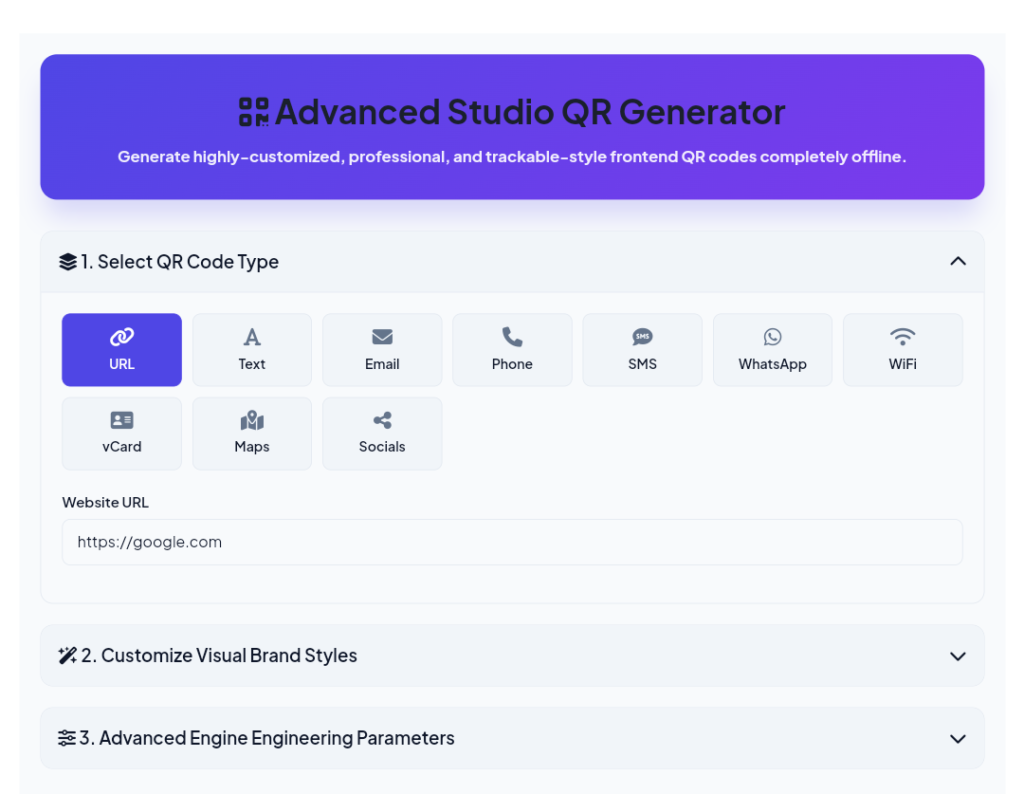
- Website links
- Email addresses
- Phone numbers
- SMS messages
- WiFi login
- Contact cards (vCard)
- Google Maps locations
- Social media profiles
- Text
This flexibility makes QR codes useful for businesses, students, freelancers, teachers, marketers, and even personal use.
Why Online QR Code Generators Are the Best Choice
Most online QR code generators are designed for beginners.
The process is extremely simple:
- Select the QR code type.
- Enter your information.
- Customize the design.
- Click Generate.
- Download your QR code.
The entire process usually takes less than a minute.
If you’re learning how to create QR codes for free, online generators are the easiest place to start because they offer professional features without charging anything.
Customize Your QR Code Like a Professional
A basic black-and-white QR code works perfectly, but customization helps your QR code attract more attention while matching your brand identity.
Resize the QR Code
Choose the right size based on where you’ll use it.
- Small for social media
- Medium for packaging
- Large for banners and posters
Change Colors
You can match your QR code with your brand colors while maintaining enough contrast for easy scanning.
Adjust Margins
White space around the QR code helps scanners recognize it more accurately.
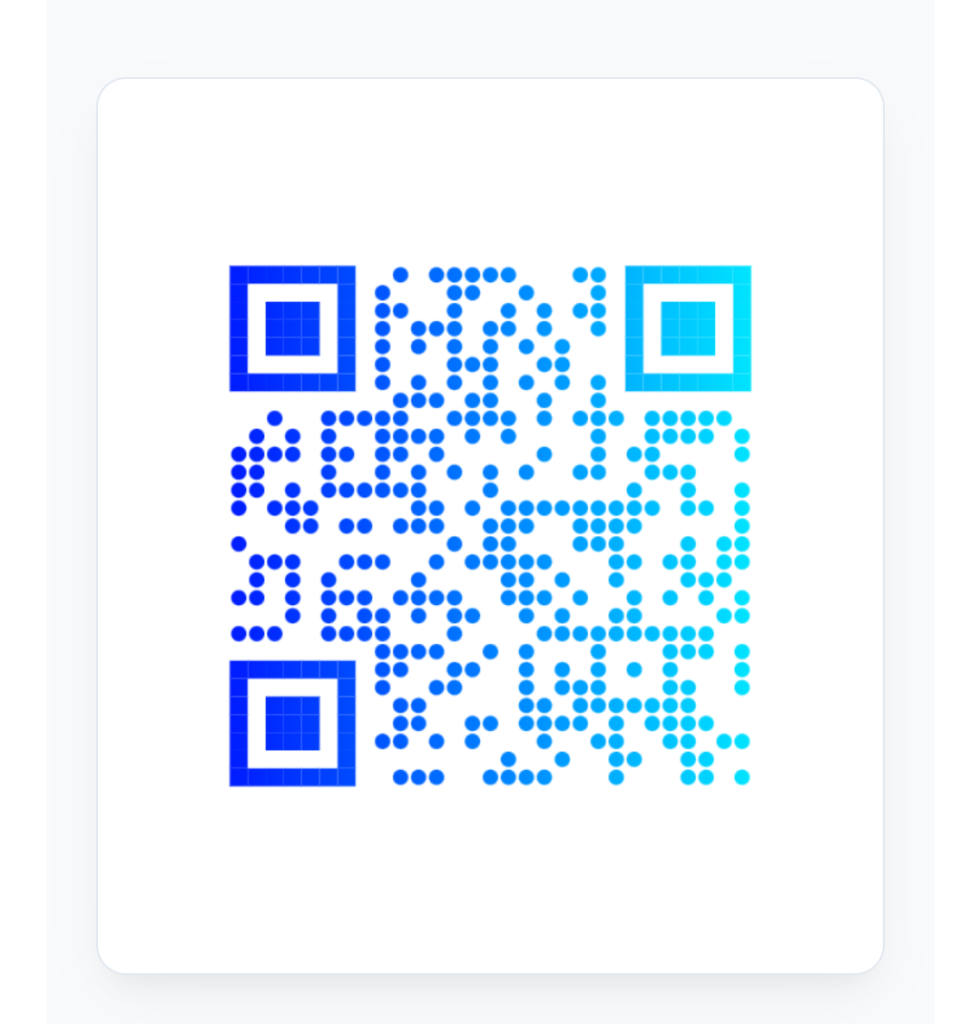
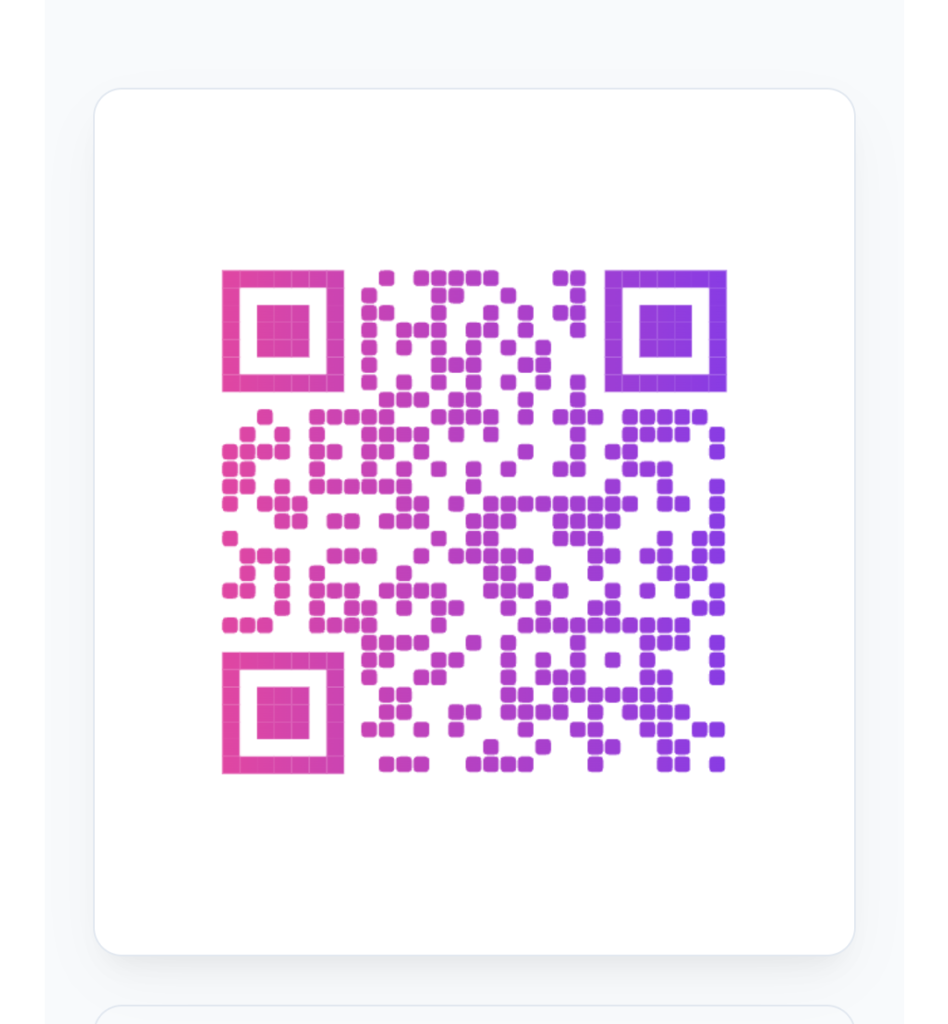
Select Different Dot Styles
Most generators offer multiple design options, including:
- Square
- Rounded
- Dots
- Classy
- Extra Rounded
Customize the Corner Markers
Changing the corner style gives your QR code a modern appearance without affecting its functionality.
Add Gradient Effects
Linear and radial gradients make QR codes look more attractive while maintaining readability.
Upload Your Brand Logo
Adding a logo in the center of the QR code increases brand recognition and builds trust. Advanced generators automatically optimize the design so the QR code remains easy to scan.
Understanding Error Correction Levels
QR codes include built-in error correction, allowing them to remain scannable even if part of the code is damaged or covered.
Level L
Recovers approximately 7% of damaged data.
Level M
Recovers approximately 15% and is the standard choice for most users.
Level Q
Recovers around 25%, making it suitable for more demanding environments.
Level H
Recovers nearly 30% of damaged data and is the best option when adding logos or heavy customization.
Higher error correction provides greater durability but also makes the QR code slightly more complex.
Best Practices for Better QR Codes
To get the best results, always follow these simple recommendations.
- Test your QR code on multiple smartphones before publishing.
- Avoid excessive design changes that may reduce scan accuracy.
- Use dark foreground colors with light backgrounds.
- Choose a size appropriate for the viewing distance.
- Double-check URLs, contact details, and other embedded information before generating the final QR code.
Following these small steps can significantly improve user experience and reduce scanning issues.
Where Are QR Codes Used?
QR codes have become essential across numerous industries.
Retail
Retail stores use QR codes for product information, discount coupons, customer loyalty programs, and online shopping.
Restaurants
Restaurants offer digital menus, table ordering, customer feedback forms, and contactless payments.
Education
Schools and universities share assignments, study materials, online classes, attendance forms, and event information.
Healthcare
Hospitals use QR codes for appointment booking, patient records, prescriptions, and medicine tracking.
Events
Event organizers simplify ticket verification, registration, schedules, and venue navigation using QR technology.
Real Estate
Property agents place QR codes on advertisements so buyers can instantly view property images, videos, pricing, and virtual tours.
These examples show why more individuals and businesses are searching for how to create QR codes for free to improve communication and customer engagement.
Final Thoughts
QR codes have completely changed the way we share information in today’s digital age. They are simple, fast, affordable, and incredibly versatile. Whether you want to promote your website, collect payments, share WiFi access, or grow your business, QR codes provide an easy solution for connecting offline users with online content.
The best part is that learning how to create QR codes for free is easier than ever. With modern online QR code generators, anyone can design attractive, professional, and fully functional QR codes in just a few minutes. By following the customization tips and best practices shared in this guide, you’ll be able to create QR codes that not only look impressive but also deliver a smooth experience for every user who scans them.
Start creating your own QR codes today and discover how this simple technology can make sharing information faster, smarter, and more effective.
Frequently Asked Questions (FAQs)
1. Are free QR code generator safe to use?
Yes, online QR code generator are safe to use. Just make sure you choose a reliable website and verify the information before generating your QR code.
2. Can I customize my QR code with colors and a logo?
Yes. free QR code generator allow you to change colors, select different dot styles, customize corner elements, and even add your brand logo while keeping the QR code scannable.
3. What information can I store in a QR code?
A QR code can store website URLs, contact details, phone numbers, email addresses, WiFi credentials, social media links, Google Maps locations, event details, payment links, and much more.
4. Do QR codes expire?
Most static QR codes do not expire and can be used permanently as long as the linked information remains available. However, some dynamic QR codes created through premium services may have usage limits depending on the provider.
5. Which file format is best for downloading a QR code?
PNG is ideal for digital use, while SVG is the best option for printing because it is a vector format that maintains high quality at any size.
6. Can I use free QR codes for my business?
Absolutely. Free QR codes are widely used by businesses for marketing campaigns, product packaging, digital menus, contactless payments, business cards, and promotional materials.
7. Why is my QR code not scanning properly?
A QR code may fail to scan if it has low color contrast, is too small, contains incorrect information, or has been over-customized. Always test your QR code on multiple devices before publishing or printing it.