
How to Compress Images Without Losing Quality

How to Compress Images Online
Images play a crucial role in modern websites, blogs, eCommerce stores, and social media platforms. High-quality visuals attract visitors, improve engagement, and make content more appealing. However, large image files often create performance issues. Slow-loading pages, increased bandwidth consumption, and poor user experience are common problems caused by unoptimized images.
This is where an advanced image compressor online becomes essential. By compressing images before uploading them to your website or sharing them online, you can significantly reduce file size while maintaining excellent image quality.
In this guide, you’ll learn why image compression matters, how it affects SEO, and how an advanced image compression tool can help you optimize, resize, and watermark images efficiently.
Why Image Compression Is Important
Large images consume more storage space and require additional bandwidth to load. When visitors access your website, oversized images can increase loading time, which negatively impacts user experience.
Studies consistently show that users expect websites to load quickly. Even a delay of a few seconds may cause visitors to leave your site. Search engines also consider page speed as an important ranking factor.
Compressing images offers several benefits:
- Faster website loading speed.
- Better user experience across devices.
- Improved search engine rankings.
- Reduced storage requirements.
- Lower bandwidth usage.
- Enhanced Core Web Vitals performance.
Whether you run a personal blog or an online business, optimizing images should always be part of your content publishing process.
What Is an Image Compressor?
An image compressor is an online tool or software application designed to reduce image file size. It works by optimizing image data while preserving as much visual quality as possible.
A modern image size reducer allows users to compress images without installing any software. Simply upload your files, choose the desired settings, and download optimized images within seconds.
Today’s advanced tools support multiple formats such as JPEG, PNG, WebP, GIF, and SVG, making them suitable for almost every type of project.
Compress Images Without Losing Quality
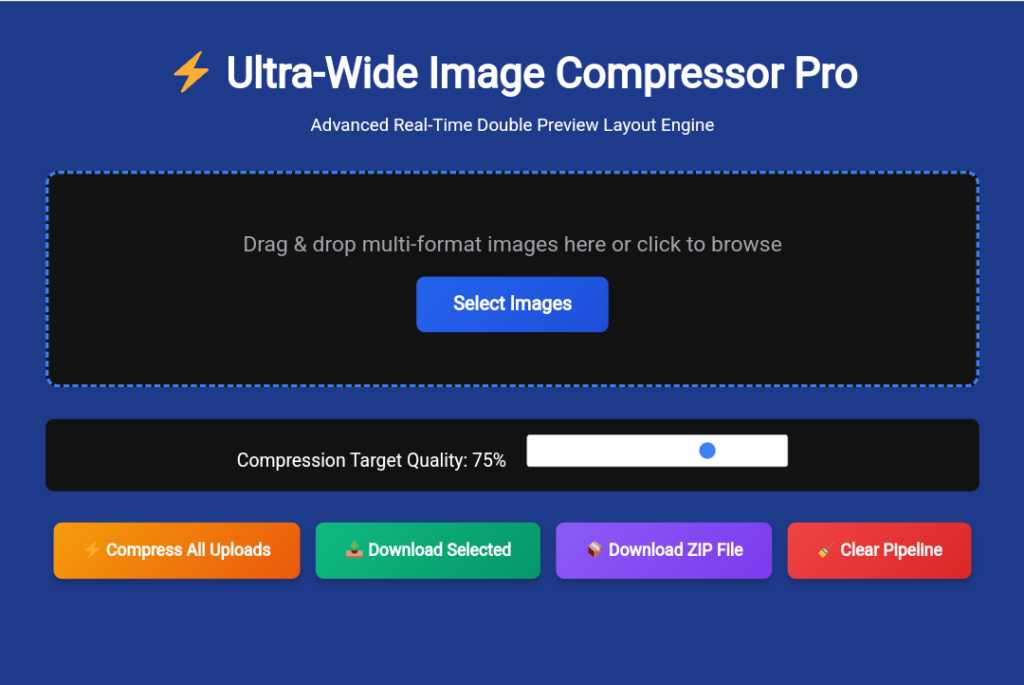
One of the biggest concerns users have is quality loss. Nobody wants blurry or pixelated images.
Fortunately, modern compression technology makes it possible to compress images without losing quality. Advanced optimization algorithms intelligently remove unnecessary data while preserving image clarity.
This means:
- Sharp details remain intact.
- Colors stay vibrant.
- Visual appearance remains professional.
- File sizes become significantly smaller.
For bloggers, photographers, and designers, maintaining quality during compression is extremely important.
Benefits of Using an Online Image Compressor
1. No Software Installation Required
Online tools work directly in your browser. There is no need to download or install additional applications.
You can compress images anytime from desktop, tablet, or mobile devices.
2. Save Time with Batch Compression
Uploading and optimizing images one by one can be time-consuming.
A batch image compressor allows users to process multiple files simultaneously. This feature is especially useful for:
- Bloggers publishing image-heavy articles.
- eCommerce store owners.
- Digital marketers.
- Graphic designers.
- Social media managers.
Batch processing dramatically increases productivity.
3. Support for Multiple Image Formats
A professional image optimizer should support various formats, including:
- JPEG
- PNG
- WebP
- GIF
- SVG
Multiple format support ensures compatibility across different platforms and use cases.
4. Better Website Performance
Optimized images help websites load faster. Faster sites generally experience:
- Lower bounce rates.
- Higher engagement.
- Improved conversion rates.
- Better search visibility.
Website speed optimization is impossible without properly compressed images.
Resize Images Online for Different Platforms
Different websites and social media platforms require different image dimensions.
Instead of uploading oversized images, users can resize images online before publishing.
Common resizing presets include:
Full HD (1920×1080)
Perfect for:
- Website banners.
- YouTube thumbnails.
- Presentation backgrounds.
HD (1280×720)
Ideal for:
- Blog featured images.
- Social media posts.
- Web graphics.
Standard Web Size (800×600)
Suitable for:
- Product images.
- Portfolio galleries.
- Email marketing campaigns.
Custom dimensions are also useful when specific width and height requirements are needed.
Resizing images before uploading helps reduce file size even further.
Why WebP Is Becoming Popular
WebP has become one of the most recommended image formats for websites.
Compared to traditional JPEG and PNG files, WebP often delivers smaller file sizes while maintaining excellent quality.
Benefits of WebP include:
- Faster page loading.
- Better SEO performance.
- Reduced bandwidth consumption.
- Improved mobile experience.
Many website owners now convert images to WebP format to maximize performance.
An image compressor that supports WebP conversion provides additional flexibility.
Protect Your Images with Watermarks
Content creators frequently face image theft issues online.
Adding a watermark helps protect original content and establish brand identity.
Modern tools allow users to add:
Text Watermarks
Text watermarks typically include:
- Website name.
- Brand name.
- Copyright information.
- Social media handles.
Users can customize font size, color, opacity, and position.
Logo Watermarks
Logo watermarks provide a professional appearance while strengthening brand recognition.
Businesses and photographers often place logos in corners or center positions to discourage unauthorized use.
The ability to watermark images online eliminates the need for separate editing software.
Basic Editing Features Save Extra Time
Many users need quick edits before compression.
Integrated editing tools simplify the workflow by allowing users to:
- Crop unwanted areas.
- Rotate images by 90 degrees.
- Rotate images by 180 degrees.
- Adjust orientation before downloading.
Instead of switching between multiple applications, everything can be completed in one place.
Who Can Benefit from an Image Compression Tool?
Bloggers
Bloggers regularly upload featured images and screenshots. Compression improves page speed and SEO.
eCommerce Store Owners
Online stores contain hundreds or thousands of product images. Optimized images help improve user experience and increase conversions.
Photographers
Professional photographers can reduce image sizes for client delivery while preserving quality.
Graphic Designers
Designers frequently share visuals online and need efficient optimization tools.
Digital Marketers
Marketers create graphics for advertisements, email campaigns, and social media promotions.
Students and Professionals
Students and office users often need to reduce image sizes for assignments, reports, and presentations.
Best Practices for Image Optimization
To achieve the best results, follow these recommendations:
- Compress images before uploading them to your website.
- Use WebP whenever possible.
- Choose appropriate dimensions instead of uploading oversized images.
- Avoid excessive compression settings.
- Add watermarks to protect original work.
- Use batch compression for large projects.
- Regularly optimize old website images.
Following these practices can significantly improve website performance.
Frequently Asked Questions (FAQs)
1. What is an image compressor?
An image compressor is a tool that reduces image file size while maintaining acceptable visual quality. It helps improve website speed, save storage space, and optimize images for web use.
2. How can I compress images without losing quality?
You can compress images without losing quality by using an advanced image compressor that intelligently optimizes image data while preserving visual details and clarity.
3. Is it safe to use an online image compressor?
Yes, most modern online image compressors are safe to use. They process images securely and allow users to optimize files directly from their browser without installing software.
4. Which image formats can be compressed?
Most image compression tools support popular formats such as JPEG, PNG, WebP, GIF, and SVG.
5. Can I compress multiple images at the same time?
Yes, a batch image compressor allows you to upload and compress multiple images simultaneously, saving both time and effort.
6. Does image compression improve SEO?
Yes, compressed images load faster, which improves page speed, enhances user experience, and can positively impact search engine rankings.
7. What is the best image format for websites?
WebP is widely considered one of the best image formats for websites because it provides excellent image quality with smaller file sizes compared to JPEG and PNG.
8. Can I resize and watermark images before compressing them?
Yes, advanced image compression tools allow users to resize images, add text or logo watermarks, crop images, and then compress them in a single workflow.